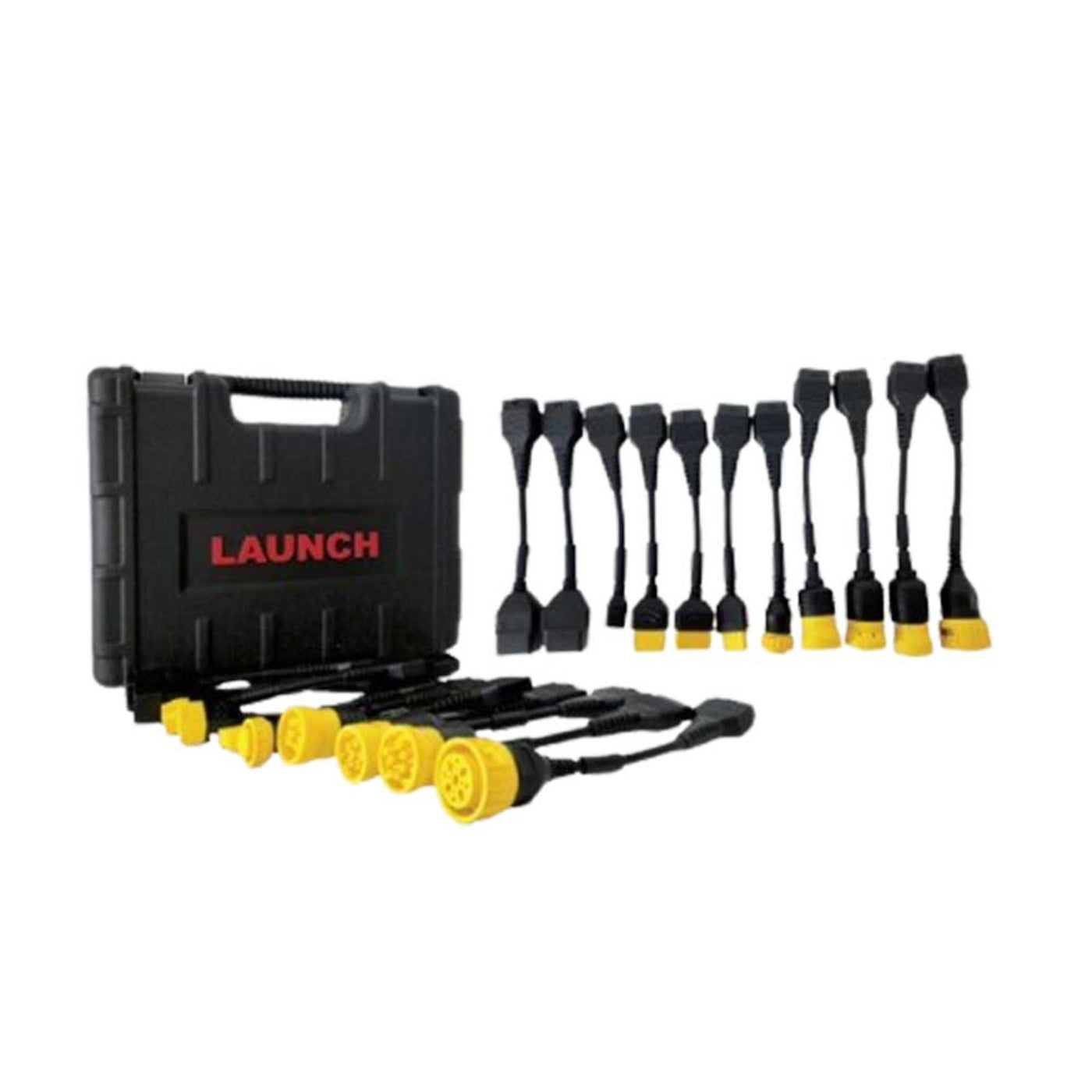
Launch Tech USA Add-On Module - LNCH-X431-HD-MOD
Launch Tech USA Add-On Module - LNCH-X431-HD-MOD
Couldn't load pickup availability

Launch Tech USA Add-On Module - LNCH-X431-HD-MOD
Launch Tech USA Add-On Module - LNCH-X431-HD-MOD
- Cummins
- Fuso
- Hino
- Isuzu
- Mack
- Volvo
- Detroil
- Paccar
- Maxxforce
- Caterpillar
- Allison
- Autocar
- Eaton
- Haldex
- John Deere
- Kenworth
- Peterbilt
- Sterling
- Wabco
- Scania
- UD
- X-431 Throttle III
- X-431 Torque Link
- X-431 Torque 5
What our Experts Think
- Transforms compatible X-431 tools into heavy-duty diagnostic platforms – The HD Add-On Module expands coverage to Class 4–8 commercial trucks, making it an excellent upgrade for shops that service both passenger and heavy-duty vehicles.
- Broad commercial vehicle coverage – Supports major truck, engine, and component manufacturers including Cummins, Detroit Diesel, Freightliner, Hino, Isuzu, Volvo, Caterpillar, Kenworth, Peterbilt, Allison, Wabco, and Bendix systems.
- Advanced diagnostic and service functions – Enables key procedures such as DPF regeneration, injector testing, component replacement, cylinder compression tests, maintenance resets, and other heavy-duty service operations.
- Flexible connectivity for workshop and field use – Supports both wireless Bluetooth communication and wired connections, with compatibility for 12V and 24V vehicle systems commonly found in commercial fleets.
- Comprehensive system diagnostics – Provides access to critical vehicle systems including engine, transmission, ABS, emissions, and auxiliary modules for more efficient troubleshooting and repairs.
- Cost-effective expansion for growing shops – Instead of purchasing a separate heavy-duty scanner, technicians can leverage their existing Launch platform and add commercial vehicle capabilities through a single module upgrade.
Q&A
Q: What is the Launch Tech USA X-431 HD Add-On Module?
A: The X-431 HD Add-On Module expands compatible Launch diagnostic scanners with medium- and heavy-duty truck diagnostic capabilities, allowing technicians to service Class 4–8 commercial vehicles.
Q: Which Launch scan tools are compatible with the HD Add-On Module?
A: It is designed to work with select Launch platforms, including compatible X-431 PAD, Throttle, Torque, and other professional Launch diagnostic systems.
Q: What vehicle types does the HD Add-On Module support?
A: It supports medium- and heavy-duty trucks, buses, and commercial vehicles from major manufacturers such as Cummins, Detroit Diesel, Freightliner, Hino, Isuzu, Volvo, Mack, Caterpillar, and more.
Q: What systems can the module diagnose?
A: The module provides access to engine, transmission, ABS, brake, emissions, and auxiliary vehicle systems for comprehensive truck diagnostics.
Q: Does the X-431 HD Add-On Module support advanced service functions?
A: Yes. It supports functions such as DPF regeneration, injector coding, injector cut-out tests, cylinder compression tests, component replacement procedures, and other maintenance operations.
Q: Does it support both 12V and 24V vehicles?
A: Yes. The module is compatible with both 12-volt and 24-volt commercial vehicle electrical systems.
Q: How does the HD Add-On Module connect to vehicles?
A: It supports both Bluetooth wireless communication and direct wired connections for reliable diagnostics in shop and field environments.
Q: Why choose the Launch X-431 HD Add-On Module?
A: It offers an affordable way to upgrade an existing Launch diagnostic platform with OEM-level heavy-duty truck coverage, helping repair shops expand services without purchasing a separate truck scan tool.
Maintenance Tips
- Keep the HD Add-On Module firmware and diagnostic software updated to maintain compatibility with the latest heavy-duty vehicle systems and protocols.
- Store the module, adapters, and cables in a clean, dry environment to protect connectors and electronic components.
- Inspect HD diagnostic connectors and adapter cables regularly for bent pins, corrosion, or physical damage.
- Clean connectors with a soft, dry cloth and keep dust, grease, and moisture away from communication ports.
- Use proper 12V or 24V vehicle power sources and verify battery voltage before performing diagnostics to avoid communication interruptions.
- Disconnect cables by gripping the connector body rather than pulling on the cable to prevent wiring damage.
- Check Bluetooth or wired communication settings periodically to ensure stable connections during diagnostic sessions.
- Organize and protect included HD adapters to prevent loss and ensure quick access for different truck and equipment brands.
- Perform routine inspections of the module housing and connectors after field use in harsh shop or fleet environments.
- Back up diagnostic reports and service data regularly to maintain accurate maintenance records.