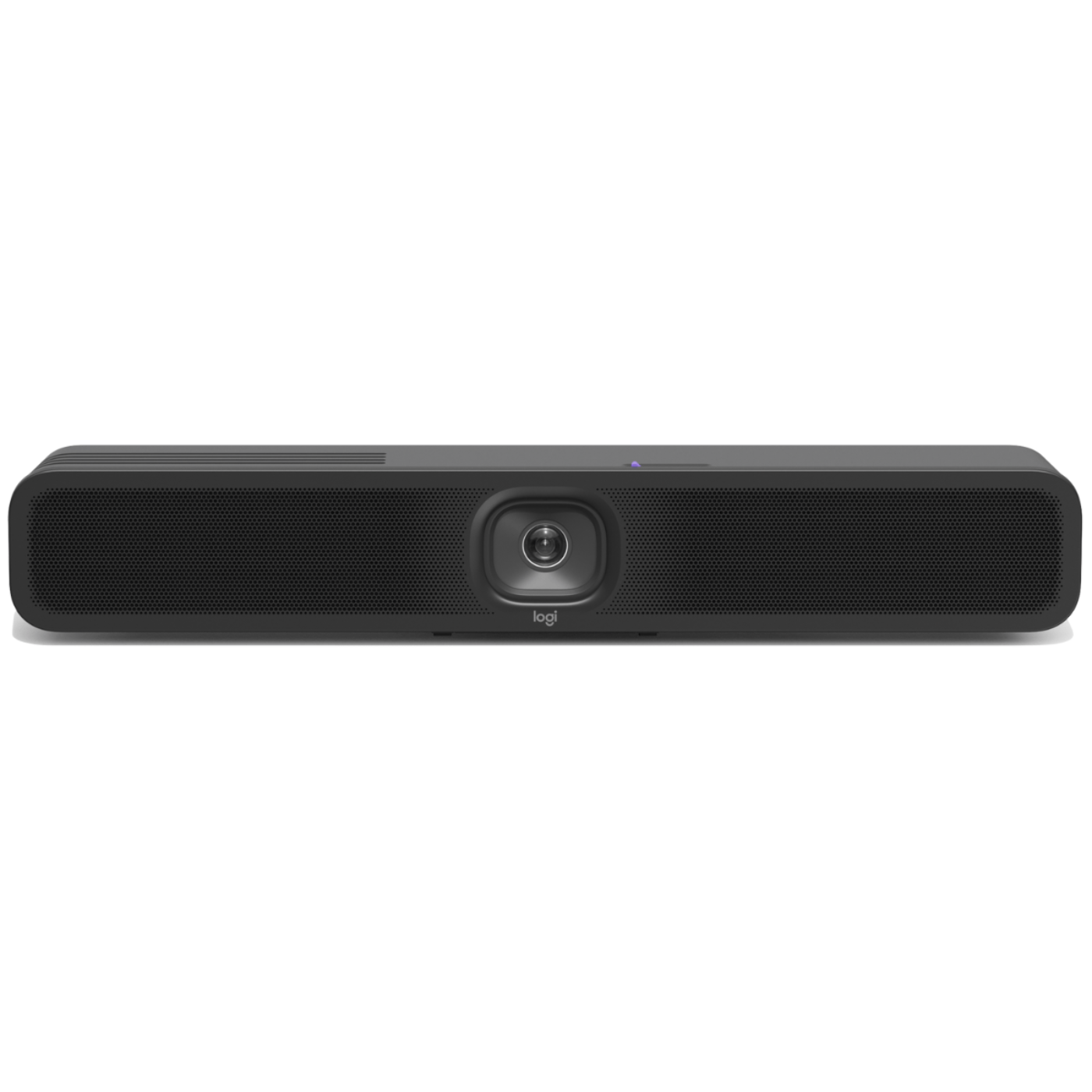
LOGITECH MEETUP 2 - 960-001691
LOGITECH MEETUP 2 - 960-001691
Couldn't load pickup availability

LOGITECH MEETUP 2 - 960-001691
LOGITECH MEETUP 2 - 960-001691
Upgrade your small meeting rooms with MeetUp 2, an AI-powered USB conference camera for small spaces that simplifies the meeting experience for employees and IT. It brings a simple setup, a selection of AI-enabled audio and video features, and easy management to USB-based deployments with a PC or in BYOD mode.
MeetUp 2 is compatible with popular video platforms such as Microsoft Teams, Zoom, and Google Meet, and it can function in USB mode with either an in-room compute or when connected to a laptop in BYOD mode.
It is easy to set up in small spaces, thanks to multiple mounting options, clean cabling, and a manual privacy shutter. Additionally, you can easily manage your MeetUp 2 and other Logitech video collaboration devices with Logitech Sync — monitor room status, deploy updates, and modify settings all from a single cloudbased app.
TWO WAYS TO DEPLOY
Deploy MeetUp 2 in USB mode with an in-room compute or in BYOD mode connected to a laptop. Compatible with the platforms commonly used for video conferencing such as Microsoft Teams, Zoom, and Google Meet.
AI IN BYOD AND PC ROOMS
MeetUp 2 brings intelligent audio and video experiences to small rooms. Includes AI-based audio and video features that become more capable over time through regular updates that improve performance, add capabilities, and deepen integrations.
EASY SETUP AND MANAGEMENT
MeetUp 2 is easy to set up and manage in small spaces thanks to multiple mounting
options and clean cabling. Plus, with Logitech Sync, users can monitor room status, deploy updates, and modify settings all from a single cloud-based platform.
EASY SERVICE PLAN FOR ALL YOUR ROOMS
Ensure business continuity and simplify management with Select, our comprehensive service plan. With 24/7 direct access to product experts, support within an hour, and fast product replacements, you can rest assured that your rooms and Logitech solutions are always ready for the next meeting. Select covers MeetUp 2 and all other Logitech devices in the room under an active
What our Experts Think
- Compact Room Collaboration: The MeetUp 2 is designed for small meeting rooms and huddle spaces, delivering professional video conferencing without a complicated setup.
- AI-Powered Video Experience: Smart camera features help frame participants and create a more natural meeting experience for remote teams.
- Clear Audio Performance: Built-in microphones and speakers help ensure conversations remain clear during virtual meetings.
- Ultra-Wide Room Coverage: The wide-angle camera view helps capture everyone around the table, making it ideal for smaller spaces.
- Easy USB Connectivity: Simple plug-and-play setup allows quick connection with laptops and popular meeting platforms.
- Modern Workspace Design: The compact, clean design fits neatly into offices, conference rooms, and collaborative areas.
Q&A
Q: What is the Logitech MeetUp 2 (960-001691)?
A: The Logitech MeetUp 2 is an all-in-one conference camera designed for small meeting rooms, providing video, audio, and intelligent meeting features.
Q: What are the key features of Logitech MeetUp 2?
A: It includes an ultra-wide camera view, AI-powered video framing, noise reduction, built-in microphones, and speakers for clear meetings.
Q: Is the Logitech MeetUp 2 suitable for small rooms?
A: Yes. It is designed for huddle spaces and small conference rooms where clear communication and wide coverage are needed.
Q: Does MeetUp 2 support video conferencing platforms?
A: Yes. It works with popular meeting applications through compatible computers and room setups.
Q: Does the Logitech MeetUp 2 have AI features?
A: Yes. It uses intelligent video and audio technologies to improve participant visibility and meeting quality.
Q: Can the MeetUp 2 be mounted?
A: Yes. It supports flexible placement options, including wall mounting for cleaner meeting room setups.
Q: Who is the Logitech MeetUp 2 best for?
A: It is ideal for businesses, classrooms, and hybrid workspaces needing a compact professional conferencing solution.
Q: Why choose the Logitech MeetUp 2?
A: It combines a wide-angle camera, clear audio, and smart collaboration features in one easy-to-use device.
Maintenance Tips
- Clean the camera lens: Use a soft microfiber cloth to remove dust and fingerprints for clear video quality.
- Protect the housing: Wipe the exterior with a soft cloth; avoid harsh cleaners and abrasive materials.
- Keep microphones clear: Remove dust from mic openings and avoid blocking the audio pickup area.
- Maintain airflow: Keep vents and speaker openings free from dust to support reliable operation.
- Check cables: Inspect USB-C, HDMI, network, and power connections regularly for secure performance.
- Update firmware: Keep device software updated for improved compatibility, security, and meeting performance.
- Inspect mounting: Ensure the wall/table mount remains secure and the camera stays properly positioned.
- Prevent moisture damage: Keep liquids away from the device and connectors.