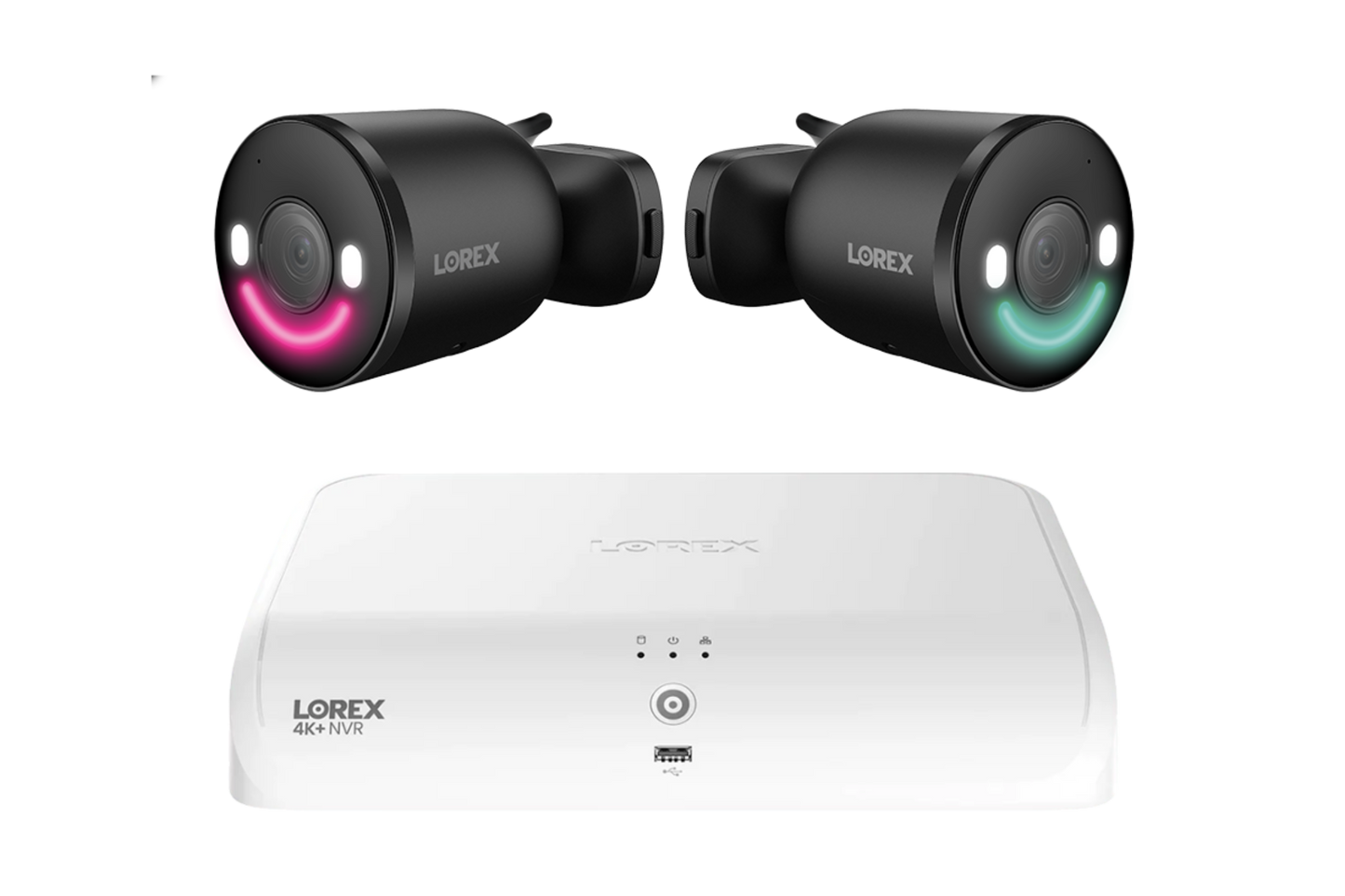
Lorex Fusion Series 4K+ 16 Channel (8 Wired + 8 Fusion Wi-Fi) 2TB Wired System with Spotlight Indoor/Outdoor Cameras - N910-2LB
Lorex Fusion Series 4K+ 16 Channel (8 Wired + 8 Fusion Wi-Fi) 2TB Wired System with Spotlight Indoor/Outdoor Cameras - N910-2LB
Couldn't load pickup availability

Lorex Fusion Series 4K+ 16 Channel (8 Wired + 8 Fusion Wi-Fi) 2TB Wired System with Spotlight Indoor/Outdoor Cameras - N910-2LB
Lorex Fusion Series 4K+ 16 Channel (8 Wired + 8 Fusion Wi-Fi) 2TB Wired System with Spotlight Indoor/Outdoor Cameras - N910-2LB
What our Experts Think
- Hybrid 4K+ expandable security platform – The Lorex Fusion Series 4K+ 16 Channel NVR System (N910-2LB) combines 8 wired PoE channels + 8 Fusion Wi-Fi channels, making it a flexible solution for scalable home or business surveillance setups.
- Ultra HD 4K+ recording capability – Supports up to 12MP (4K+) resolution, delivering sharper detail than standard 4K for improved facial recognition, license plates, and zoom clarity.
- Smart AI detection suite – Built-in analytics support person, vehicle, animal, and package detection, helping reduce false alerts and focus only on meaningful security events.
- Flexible Fusion ecosystem (wired + wireless expansion) – Allows integration of PoE cameras plus Wi-Fi devices (doorbells, floodlight cams, PTZ units) without rewiring the entire system.
- Reliable local storage with upgrade path – Comes with a 2TB security-grade HDD, supporting continuous 24/7 recording and expandable storage (up to higher capacities depending on configuration).
- Smart search & playback tools – Enables quick footage retrieval using filters like motion type, object type, or timeline event search for faster incident review.
- Active deterrence features (selected cameras) – Compatible Spotlight cameras can include motion-activated lighting, sirens, and two-way audio to discourage intrusions before escalation.
- Best fit use case – Ideal for users wanting a future-proof hybrid system that balances wired reliability with wireless flexibility and smart AI features
Q&A
Q: What is the Lorex Fusion Series 4K+ 16 Channel (8 Wired + 8 Fusion Wi-Fi) 2TB Wired System with Spotlight Indoor/Outdoor Cameras (N910-2LB)?
A: It is a hybrid 4K+ smart security system featuring a 16-channel Fusion NVR, 8 wired PoE camera capacity + 8 Fusion Wi-Fi devices, and 2TB local storage, designed for flexible indoor/outdoor surveillance with spotlight deterrence.
Q: What camera types does it include?
A: It includes spotlight indoor/outdoor security cameras that combine video monitoring with built-in motion-activated lighting and deterrence features for active security response.
Q: How many cameras can it support?
A: The system supports up to 16 total cameras/devices, split between wired PoE cameras and Fusion Wi-Fi cameras, depending on your setup.
Q: What video quality does it record in?
A: It supports 4K+ Ultra HD recording (up to 12MP compatible resolution) for highly detailed video with improved zoom clarity.
Q: What storage does it include?
A: It comes with a 2TB built-in surveillance-grade hard drive, designed for 24/7 continuous recording, with upgrade options available.
Q: Does it support smart detection features?
A: Yes. It includes AI-based person, vehicle, face, animal, and package detection, helping reduce false alerts and improve event search accuracy.
Q: Does it require a subscription?
A: No. It uses local NVR storage, so there are no mandatory monthly fees or cloud subscriptions.
Maintenance Tips
- Keep the NVR/DVR in a well-ventilated area to prevent overheating and system lag
- Regularly clean vents and internal fan dust using compressed air (power off first)
- Ensure no cables are blocking airflow around the recorder
- Use a stable power source or UPS to avoid sudden shutdowns or hard drive errors
- Always use the original power adapter to prevent boot or detection issues
- Restart the system weekly to clear memory and reduce software glitches
- Check that the HDD is detected and recording is enabled in settings
- Format or check storage if recordings are missing or skipping
- Keep firmware updated to improve stability, AI detection, and camera performance
- Avoid mixing low-quality Ethernet or coax cables (prevents video lag or blur)
- Make sure cameras are set to correct resolution matching the NVR (4K/1080p)
- If images look blurry, check focus, lens cleanliness, and night mode settings
- Reboot system if cameras go offline or freeze intermittently
- Keep system firmware + app updated for better remote viewing stability